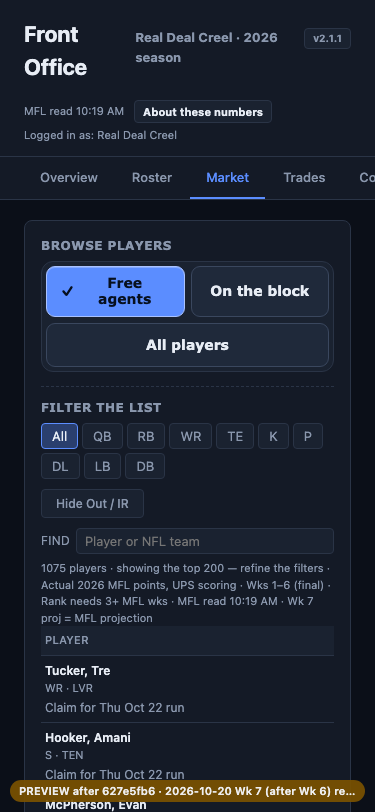
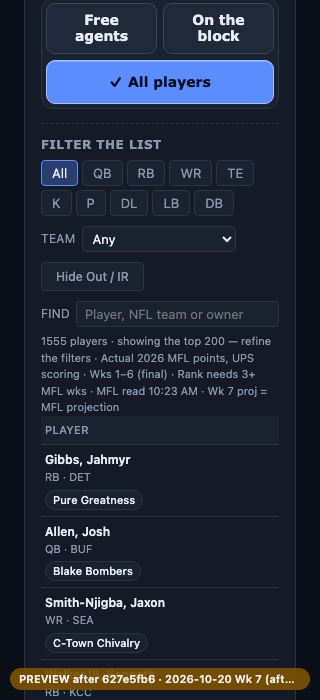
Your filled-blue controls, wider font and wrapped Market choices are kept. Market now has three choices: Free agents, On the block, All players. Read-only recorded data (Oct 20), every write blocked. Nothing is merged or released. Real iPhone Safari and the signed-in MFL page are not verified.
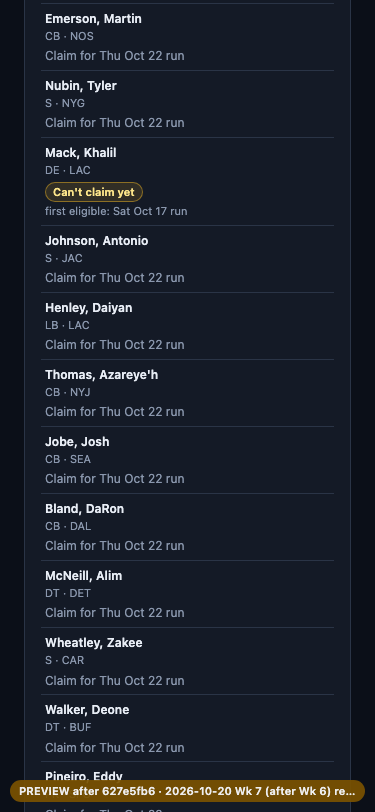
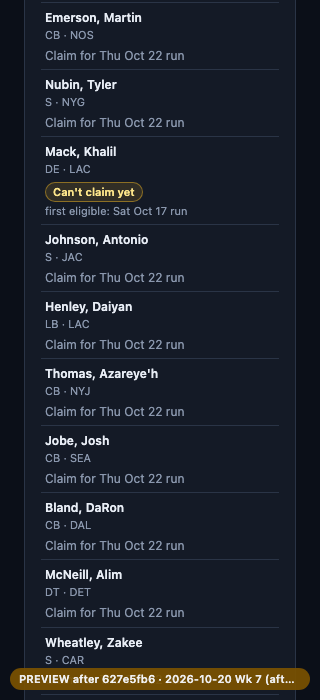
Preview-only sample rows. The recorded Oct 20 data has no player waiting on a later run, so three Free agents rows carry sample states produced by the league's real waiver rules: one Can't claim yet (drop lock), one Game locked, one After kickoff. Their dates are from the rules' test timeline, not this week. The live page reads the real waiver check instead.
Still one tap on your iPhone:open the font check (is the wider font installed on that phone?).
Free agents lists every unrostered player. Scroll to find the three sample rows: each shows its own status and "first eligible: <run>". A claimable player reads "Claim for <run>".
On a phone the status sits under the player's name. On a wide screen it stays in the Status column. Rows that can't be claimed have no Bid/Add link.
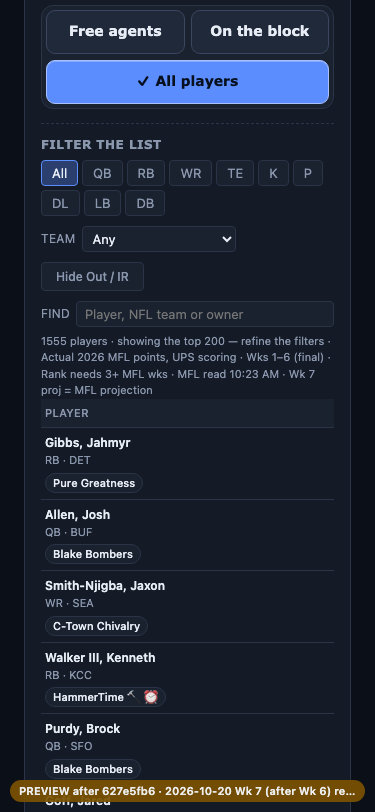
There is no Team control on Free agents. Tap All players or On the block and it appears under "Filter the list". Pick a team in All players, then tap Free agents: the list is the full list again.
"Waivers later" and "Other teams" are gone.
Market at 375 px
Market choices wrap to rows (375 px)Free agents: a "Can't claim yet" row with its first eligible run, between claimable rows (375 px)All players: the Team control appears (375 px)
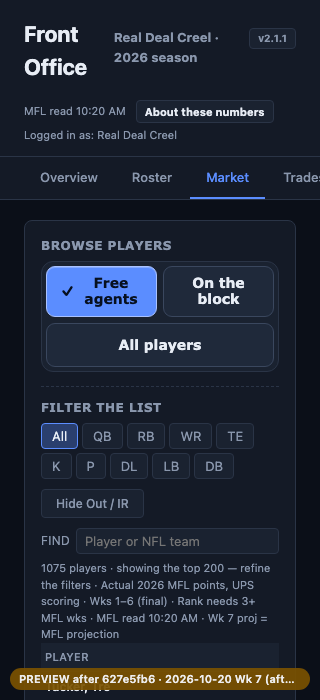
Market at 320 px
Market choices wrap to rows (320 px)Free agents: status under the name (320 px)All players: the Team control appears (320 px)